NovaQ + Axon

Plug in one box and run the whole building from anywhere.

The Axon finds every device and point on the building network. NovaQ maps them to standard equipment, lets your engineers in without a VPN account from the customer, and gives you dashboards, work orders and a plain-English AI assistant on top.

Optergy Axon edge device

The productScreens from NovaQ, shown with demo data.

This is what your engineers and facility managers use every day.

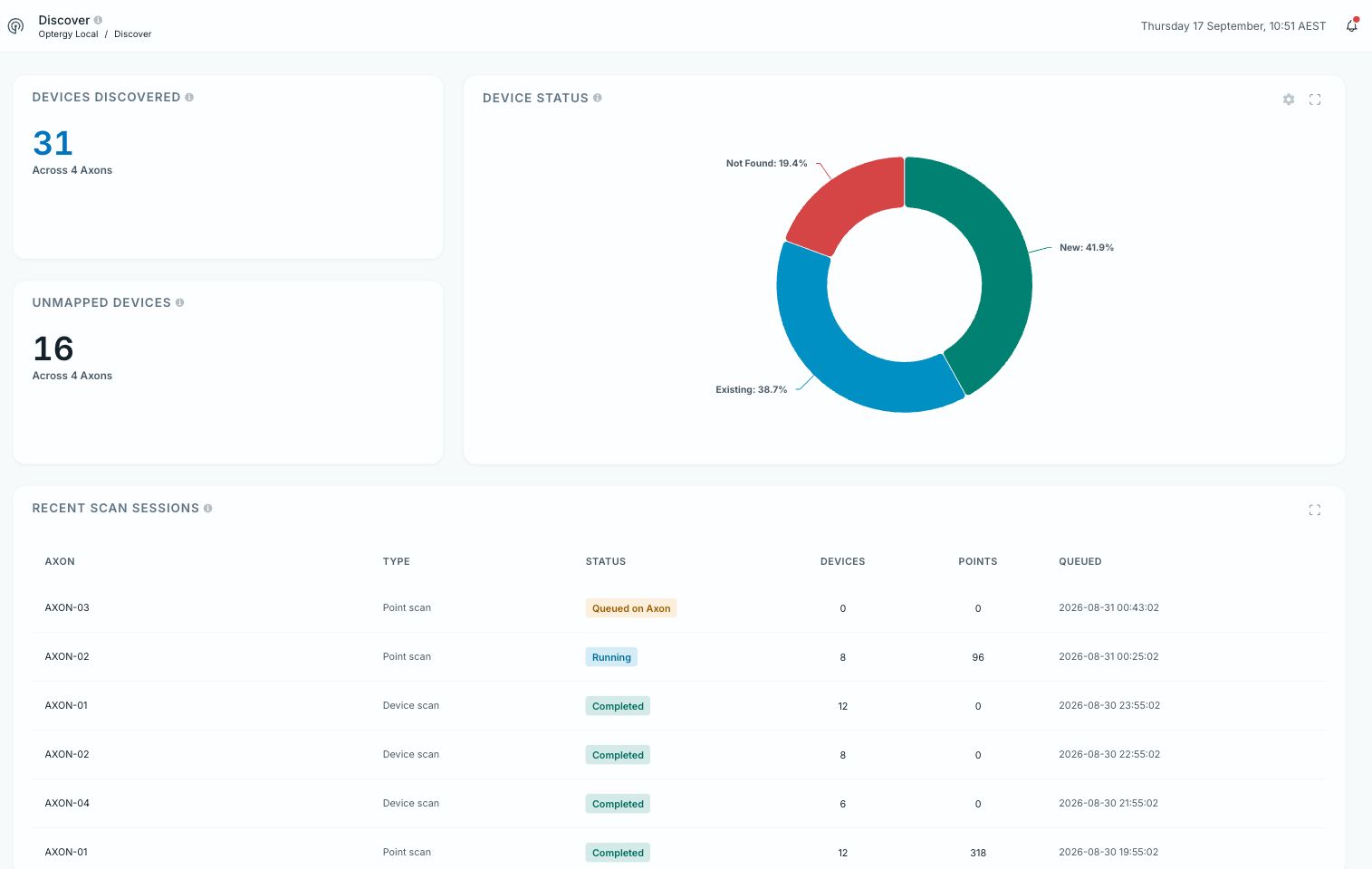
NovaQ / Discover
NovaQ Discover dashboard with a count of devices discovered, a count of unmapped devices, a device status chart and a table of recent scan sessions.
The Discover dashboard: devices found, devices still unmapped and recent scan sessions across every Axon.
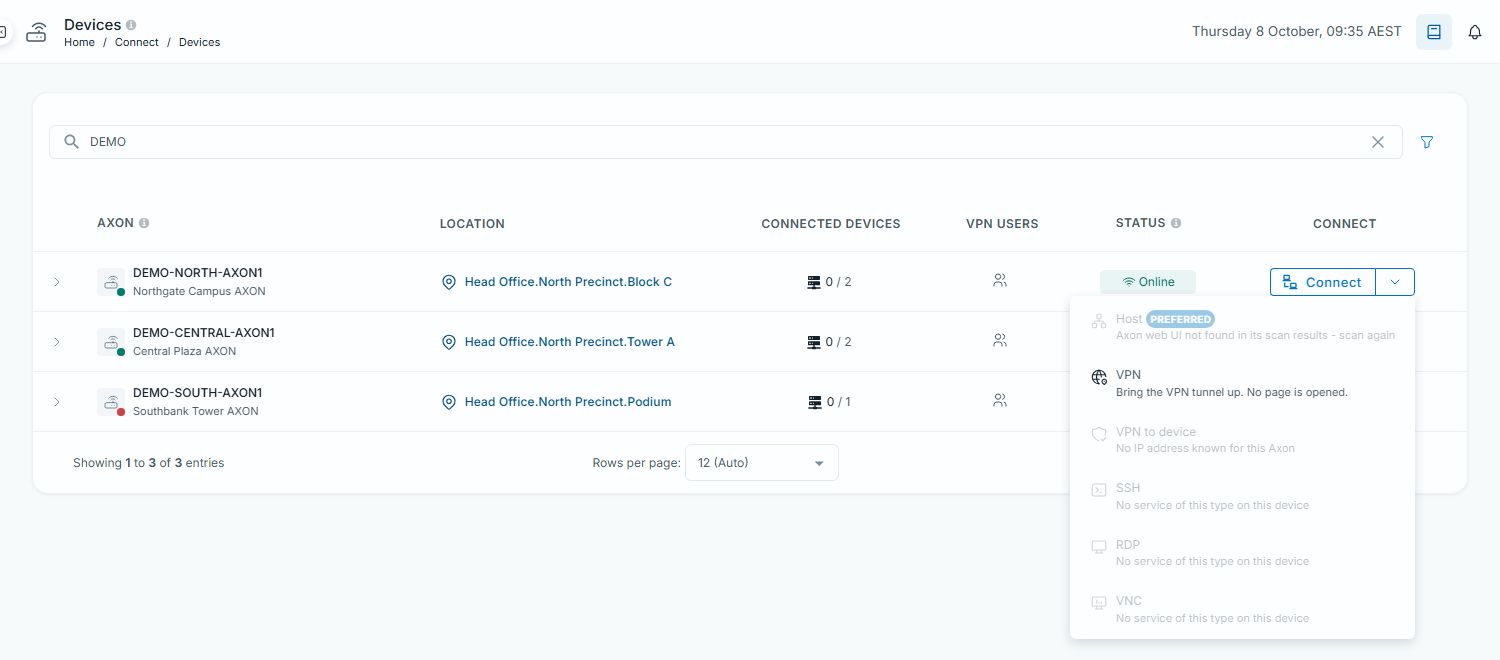
NovaQ / Connect
NovaQ Connect devices list with three Axons, their locations and status, and an open Connect menu listing Host, VPN, SSH, RDP and VNC.
Every Axon in one list, with a Connect action showing the methods available on that device.
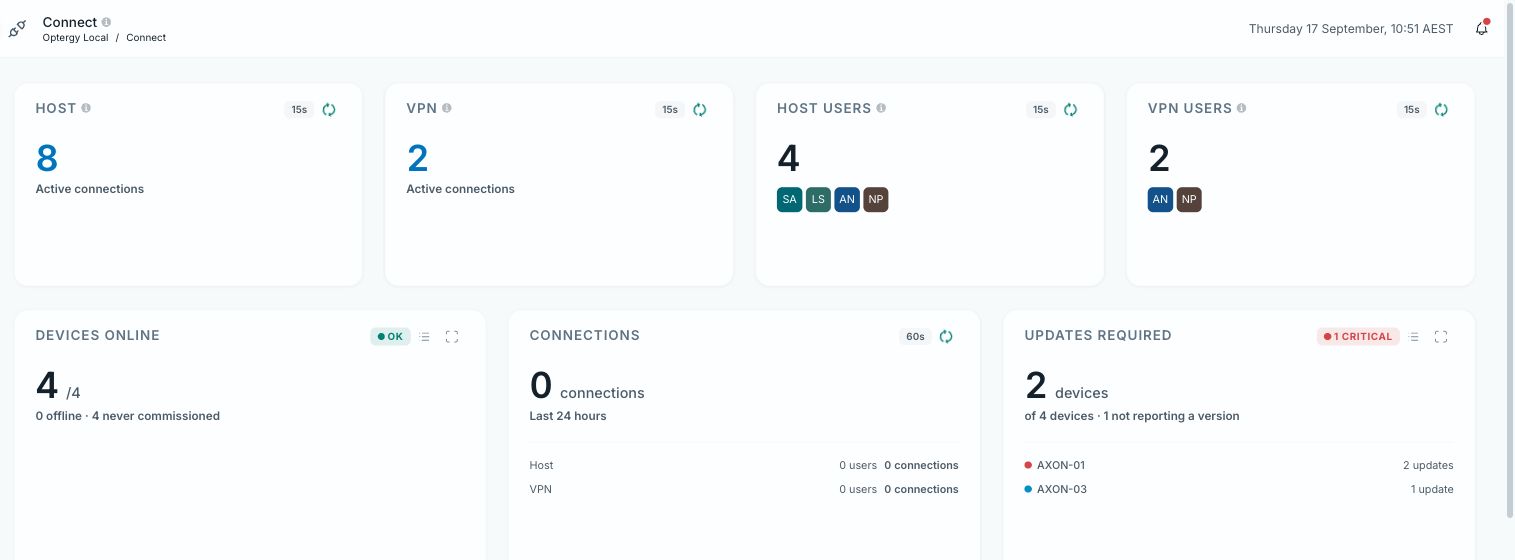
NovaQ / Live connections
NovaQ Connect dashboard with cards for active host connections, active VPN connections, connected users, devices online and updates required.
The Connect dashboard: active host and VPN connections, who is connected, devices online and updates required.
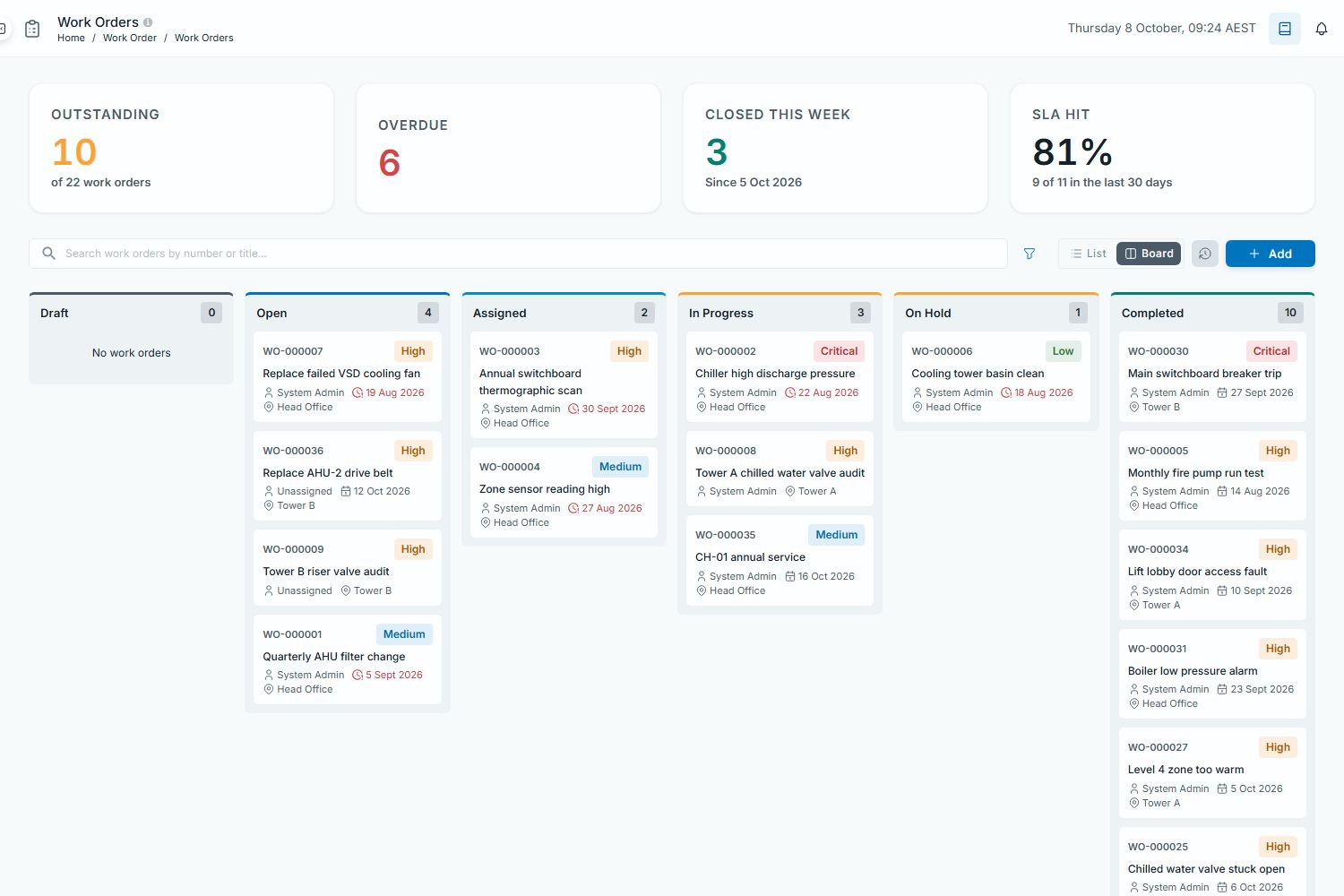
NovaQ / Work orders
NovaQ work orders board with columns for draft, open, assigned, in progress, on hold and completed, and summary cards above.
Work orders on a board, from open to completed, with outstanding and overdue counts above.

Discover

What took days with a laptop on site is now a scan from the cloud.

NovaQ / Discover / Field devices

Plant room Axon · Devices and points

Running
Devices
42
Points
3,186
New
38
Conflicts
1
DeviceProtocolAddressPointsStatus
AHU-3 controllerBACnet/IP10.20.4.31148New
Chiller 1Modbus TCP10.20.4.5264New
VAV 3-12BACnet MS/TPMAC 1222Existing
Energy meter L3Modbus RTUID 731Conflict
Illustration with example data.
  • IP discovery

    Scan saved IP ranges to find every web server, controller and workstation behind the Axon.

  • BACnet and Modbus discovery

    Find field devices on BACnet/IP, MS/TP, Modbus TCP and RTU, then read every point on each device.

  • Remote control of scans

    Start, watch and cancel scans from NovaQ. Nobody needs to be on site.

  • Conflict detection

    Duplicate MS/TP network numbers or BACnet/IP addresses across Axons on the same site are flagged before they cause faults.

Map

Stop typing points lists by hand.

Raw point names

  • AHU3_SAT
  • L3-AH-03.SA-T
  • AI-1
Mapped equipment

Equipment

AHU-3

Supply air temperature

Suggested match

13.2 °CHigh
Three differently named raw points mapped to one piece of equipment, AHU-3 supply air temperature, with a high confidence suggestion.
  • Confidence-scored suggestions

    Rules propose a mapping for every point with a confidence score. Engineers confirm instead of typing.

Connect

Reach any site without a VPN account or an open port.

Preview / Site ConnectRoutine BMS work
  1. Your browser
  2. NovaQ
  3. Axon
  4. Controller web page

Open controller and head-end web pages in your browser, tunnelled through the Axon.

One identityOne audit trail

Preview / Secure ConnectEngineering tools
  1. Your laptop
  2. WireGuard tunnel
  3. Axon
  4. Site network

A WireGuard VPN that puts your engineering laptop on the site network when you need it. Peer-to-peer where possible, relayed when not.

One identityOne audit trail

Preview / Remote ConnectWorkstations and servers
  1. Your browser
  2. NovaQ
  3. Axon
  4. RDP · SSH · VNC

RDP, SSH and VNC in the browser, with permission-controlled file transfer.

One identityOne audit trail

Why hardware is more secure than an agent

Operate

Run the building through dashboards, or just ask.

Dashboards

Dashboards and work

Build dashboards from mapped points, export to PDF, raise incidents and work orders, track Axon uptime and firmware across the portfolio.

AI

AI over MCP

NovaQ publishes a Model Context Protocol server, the open standard AI assistants use to work with real systems. Every action runs with the user's own permissions and is audited.

  • Which AHUs on level 3 are in fault right now?
  • Show me chilled water supply temperature for the last week.
  • Build a dashboard for the plant room and share it with the FM.
  • Open a work order for VAV 3-12 not holding setpoint.
  • Connect me to the head-end workstation.

NovaQ for AI

Security

What your IT team will ask, answered.

  • Every user verified: MFA and sign-in with Microsoft or Google.

    People prove who they are before they reach any building, with multi-factor authentication and single sign-on.

  • Least privilege by feature and by site.

    Access is granted per feature and per location, through groups. Nobody gets more than their job needs.

  • See and end any session, across every Axon.

    Administrators see who is connected, to what, and can disconnect one session or all of them.

Read the security overview

Next step

See it running.

A live walkthrough on a working Axon. Your building comes next.